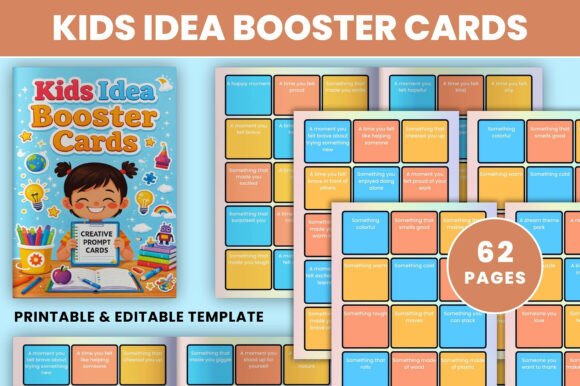
Kids Idea Booster Cards
For educators designing lesson hooks, parents building daily creative routines, or content creators developing engaging children’s activities, the Kids Idea Booster Cards bundle serves as a flexible, production-ready workflow asset—not just a printable, but a repeatable system for sparking authentic expression in children aged 4–12. It fits cleanly into existing planning cycles: whether you’re prepping a classroom warm-up, prototyping a new storytelling app, or assembling a homeschool resource kit, these cards function as modular input triggers that reduce ideation friction and increase output consistency.
How It Integrates Into Real Workflows
Unlike static activity sheets, the Kids Idea Booster Cards are built for iteration and adaptation. The editable Canva link isn’t an afterthought—it’s the core of the workflow. You don’t need design skills to use it, but you do need clarity on *what* you’re optimizing for: tone (playful vs. calm), learning objective (emotional vocabulary vs. narrative sequencing), or delivery context (in-person circle time vs. asynchronous digital journaling). That means the editing step happens *before* printing or sharing—not as a one-off customization, but as part of your preparation rhythm.
For example, a curriculum developer might duplicate the “Emotions” card page in Canva, replace generic prompts like “Draw how you feel when it rains” with grade-aligned language (“Sketch a character who feels hopeful—and show one thing they did to help someone”), then export the updated version as a PDF for teacher training materials. That same file can later be re-exported as PNGs for embedding into a Google Slides lesson deck—no redesign needed.
File Types Support Multiple Output Paths
The included high-resolution files—PDF, JPEG, and PNG at 300 DPI and 6 × 9 inches—aren’t redundant formats. They serve distinct roles in your distribution pipeline:
- PDF: Best for print-at-home use, bulk printing, or uploading to learning management systems (LMS) where consistent layout matters. Ideal when you need crisp text rendering and predictable page breaks.
- JPEG: Optimized for quick insertion into newsletters, social media carousels, or email campaigns—especially when sharing single-card examples with parents or collaborators.
- PNG: Transparent background support makes this format essential for overlaying prompts onto custom backgrounds (e.g., themed classroom slides, interactive whiteboard layers, or digital sticker packs).
This tri-format structure eliminates conversion bottlenecks. You’re not stuck choosing between “printable” or “digital”—you maintain both paths from the same source, preserving quality and saving time across platforms.
Editing Without Overhead
The interior pages are fully editable in Canva—no fonts to install, no layers to unlock, no licensing restrictions. Because Canva’s free tier supports all necessary functions (text replacement, color swaps, image resizing, layout adjustments), there’s zero setup cost or technical barrier. What matters is *how* you edit—not whether you can.
Practical tip: Use Canva’s “Brand Kit” feature to save your preferred palette and typography before editing. That way, every card you adapt stays visually aligned with your existing materials—whether it’s a school newsletter, a therapist’s session handout, or a small business’s branded activity pack. Consistency becomes automatic, not manual.
Also note: The cover is delivered as a high-quality static image. This isn’t a limitation—it’s intentional separation of concerns. You preserve visual polish for public-facing assets while retaining full control over the functional interior. If you need a custom cover later, you can build one separately in Canva using the same brand elements, without affecting the editable prompt pages.
Using the Cards Across Phases of a Project
Kids Idea Booster Cards aren’t only for “creative time.” They operate effectively at multiple stages of a broader process:
- Before: As a pre-activity diagnostic tool—hand out a “Favorites” card to uncover interests before designing a unit plan; use “Silly Prompts” to lower anxiety before a group presentation.
- During: As real-time scaffolding—project a “Nature Adventure” card during outdoor observation time to guide focused attention; assign a “Learning Moment” card mid-lesson to prompt reflection without pausing instruction.
- After: As consolidation or extension—assign a “Storytelling” card as homework to reinforce vocabulary; use “Emotion” cards in a closing circle to normalize self-expression and gather informal feedback on group dynamics.
This phase-aware flexibility means the same set supports teachers tracking SEL growth, therapists documenting expressive progress, and product designers stress-testing kid-friendly UX flows—all without changing the underlying resource.
Organization and Long-Term Usability
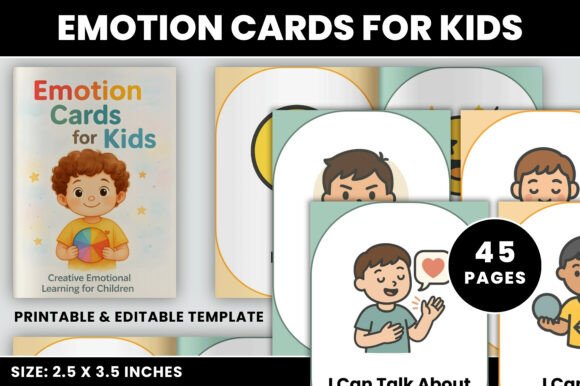
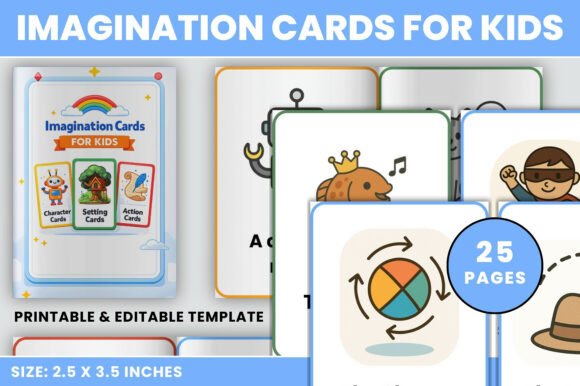
The 60-page structure isn’t arbitrary. Pages are grouped thematically—not by difficulty, but by cognitive and expressive function. That makes scanning and selecting efficient: “Imagination Prompts” activate divergent thinking; “Creative Ideas” lean toward making and doing; “Adventures” scaffold narrative logic. You don’t have to sort or tag manually—you can rely on the built-in architecture.
To sustain usability over time, treat the Canva file as a living template. Duplicate pages before editing, name versions clearly (“Emotions_v2_SocialStudies”), and archive older iterations. Since Canva saves automatically and syncs across devices, your edits stay accessible whether you’re adjusting prompts on a laptop before class or tweaking colors on a tablet during a coffee break.
Quality control is built into the specs: 300 DPI ensures sharpness even when enlarged for projector use; 6 × 9 inches fits standard binders and laminating pouches; no bleed means clean cuts every time. These aren’t compromises—they’re production decisions that reduce friction in real-world implementation.
Compatibility With Other Tools and Teams
The Kids Idea Booster Cards integrate seamlessly with tools already in your stack. Exported PNGs drop directly into Notion databases for tracking student responses. PDFs embed cleanly into Seesaw or Canvas assignments. Edited Canva links can be shared with co-teachers or curriculum teams for collaborative refinement—no file versioning chaos.
If you’re building a larger resource library—say, a subscription-based educator toolkit or a bilingual activity bundle—the editable interiors let you localize prompts, adjust cultural references, or translate text without redrawing layouts. That scalability matters when moving from solo use to team-wide deployment or commercial reuse.
And because the files are yours to keep and modify, there’s no vendor lock-in. You’re not tied to a platform or subscription model—you own the outputs, control the edits, and decide how deeply to embed them into your practice.
What Makes This More Than Just Another Printable
It’s the combination of precision and permission. Precision in sizing, resolution, and thematic grouping. Permission to change what needs changing—text, tone, color, sequence—without starting over. Most creative resources ask you to adapt your process to fit the tool. The Kids Idea Booster Cards ask you to adapt the tool to fit your process.
That shift—from passive consumption to active configuration—is what turns a simple prompt set into a durable, workflow-native asset. Whether you’re preparing for tomorrow’s lesson, launching a new product line, or refining your family’s weekly rhythm, it works *with* how you already think, plan, and deliver—not against it.