Solopreneur Freelancer Planner: Your Real-World Business Control Center
If you’ve ever stared at a blank Notion dashboard, lost an invoice in a sea of Gmail tabs, or forgotten a client deadline because your “system” was three sticky notes and a half-erased whiteboard—you’re not disorganized. You’re just using tools that weren’t built for how solopreneurs actually work.
The Solopreneur Freelancer Planner isn’t another generic bullet journal template. It’s a thoughtfully structured, real-life business operating system—designed from the ground up for people who wear every hat: strategist, accountant, marketer, project manager, and customer service rep—all before lunch.
When “Just Getting By” Stops Working (and What Changes)
Consider Maya, a brand strategist who launched her solo practice after five years at an agency. For months, she tracked income in Excel, scheduled calls in Google Calendar, and jotted client notes in a Notes app. Then came tax season—and a $3,200 surprise bill she hadn’t budgeted for. She realized too late that her “expense tracker” was a single spreadsheet tab titled “misc.”
Or James, a virtual assistant supporting six small businesses. He missed two recurring retainer payments—not because he forgot, but because his calendar only showed *when* to deliver work, not *when to invoice*, *when to follow up*, or *when to review scope creep*. His cash flow wobbled. His confidence dipped.
This is where the Solopreneur Freelancer Planner shifts things. It doesn’t ask you to overhaul your habits overnight. Instead, it meets you where you are—with pages that solve specific, recurring friction points:
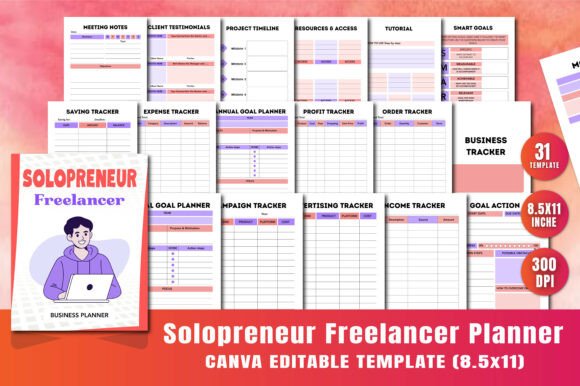
- Client onboarding feels chaotic? Use the “What I Will Need From You” and “Resources Access” pages to set expectations clearly—before the first call ends.
- Projects bleed into each other? The Project Timeline page gives you a visual runway—not just deadlines, but milestones, dependencies, and buffer days baked in.
- Tax time triggers dread? The Tax Deductions and Bill Tracker pages let you log deductible software subscriptions, home office costs, or mileage *as they happen*, not in December.
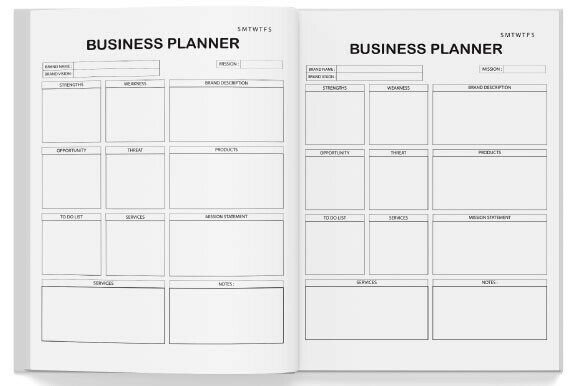
- You’re overpromising and under-delivering? The Business Tracker and Profit Tracker help you see—not guess—how many clients you can realistically support while staying profitable and sane.
Who Benefits Most—and How They Use It Differently
One planner doesn’t fit all—but this one adapts beautifully across roles because it’s built around outcomes, not titles.
Digital creators (like podcasters or course builders) lean heavily on the Campaign Tracker and Advertising Tracker. They map out launch sequences across Instagram, email, and Pinterest—then compare actual spend vs. conversions per channel, right inside the planner. No exporting, no cross-tabbing.
Coaches and consultants use the Meeting Notes x2 layout strategically: one version for discovery calls (with space for objections, goals, and next steps), another for implementation sessions (with room for action items, accountability dates, and reflection prompts). The “About Me” and “My Values” pages? They become living brand anchors—referenced when refining messaging or declining misaligned clients.
Virtual assistants and bookkeepers rely on the dual Income/Expense Trackers—but also the Savings Tracker. Why? Because their income fluctuates. Seeing exactly how much to set aside weekly for taxes, health insurance, or slow months turns anxiety into intention.
Even freelance developers or designers, who often default to Jira or Trello, find value in the Goals Planner and SMART Goals page—not for coding tasks, but for *business growth*: “Land two retainers by Q3” becomes “Reach out to 5 past clients with retainer offer by June 15,” with space to track replies and refine messaging.
Practical Considerations Before You Start
This isn’t magic—it’s a tool. And like any tool, its usefulness depends on how well it fits your workflow and willingness to engage with it consistently.
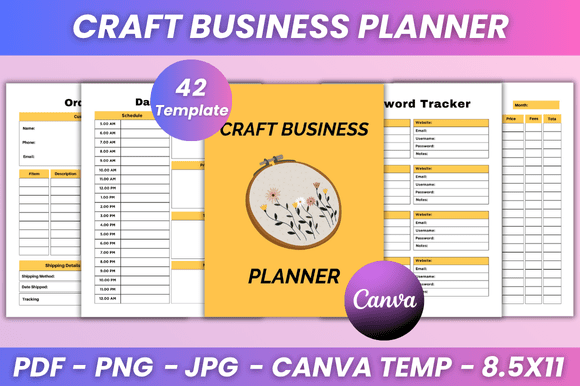
First: It’s fully editable—but editing takes time. The Canva template lets you change fonts, colors, and even rearrange sections. But if you’re hoping to swap out *all* the trackers for custom ones you design from scratch, you’ll lose the cohesive logic built into the original 31-page flow. Think of it as a strong foundation—not raw lumber.
Second: Print vs. digital matters more than you think. The planner includes print-ready PDF, JPG, and PNG files. If you prefer writing by hand (and neuroscience shows handwriting boosts retention and planning clarity), the PDF is optimized for crisp printing on standard 8.5" x 11" paper. If you annotate digitally, the PNG layers work cleanly in apps like GoodNotes or Notability. Just know: the Canva link is for *editing*, not daily use—so download your final version first.
Third: It assumes you want structure—not rigidity. There’s no “correct” way to fill out the Annual Goal Planner Page 2. Some users write one big vision. Others break it into quarterly themes. The space is generous on purpose—so you can evolve with it.
Where It Shines (and Where to Supplement)
Strengths? Clarity, cohesion, and context. Every page connects to another: your Profit Tracker informs your Savings Tracker, which ties back to your Goals Planner. You’re not logging data in isolation—you’re seeing how decisions ripple across your business.
It also eliminates decision fatigue. No debating whether to build a tracker in Airtable or copy-paste from a blog post. Everything’s pre-designed, professional, and ready—yet flexible enough to reflect your voice and brand.
Limits? It’s not a CRM replacement. While the Client Testimonials and Meeting Notes pages help manage relationships, it won’t auto-sync with your email or send follow-up reminders. Pair it with a lightweight tool like Honeybook or even a dedicated Gmail label system—and let the planner hold the strategy, not the automation.
And while the Expense Tracker covers categories like software, travel, and supplies, it doesn’t include industry-specific line items (e.g., “voiceover booth maintenance” for audio pros or “sample kit restocking” for product photographers). That’s intentional—the editable Canva file lets you add those in seconds.
Real Planning, Not Just Pretty Pages
At its core, the Solopreneur Freelancer Planner answers a quiet, persistent question so many solopreneurs carry: “Am I building something—or just staying busy?”
It helps you spot patterns—like how many new leads you need to close one client, or how much time a “simple revision request” actually consumes across projects. It surfaces gaps—like realizing you haven’t updated your rates in 18 months, or that 70% of your income comes from just two clients.
That kind of insight doesn’t come from logging hours. It comes from having the right questions asked—and the right space to answer them—week after week, month after month.
So if your current system leaves you reactive instead of intentional—if you’re tired of rebuilding your workflow every time a new tool promises “the answer”—this isn’t about adding another tab or app. It’s about finally having a single, trusted place where your business makes sense on paper, long before it does in practice.